
How to create an SVG viewer in HTML, CSS, and JavaScript
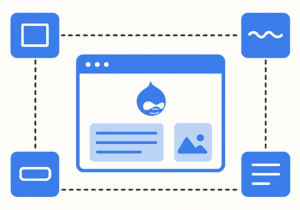
Let’s learn how to create an SVG viewer with HTML, CSS, and JavaScript. We’ll be able to write, paste, and edit SVG code, then preview and export the SVGs.
Event listeners are essential for interactivity in JavaScript, but they can quietly cause memory leaks if not removed properly. And what if your event listener needs parameters? That’s where things get interesting. Amejimaobari Ollornwi shares which JavaScript features make handling parameters with event handlers both possible and well-supported.
For nearly three years, Arc from The Browser Company has been my daily driver. To be sure, there was a little bit of a learning curve. Tabs disappeared after a day unless you pinned them. Then they became almost like bookmarks. Tabs were on the left side of the window, not at the top. Spaces let me organize my tabs based on use cases like personal, work, or finances. I…
So, you’ve built an amazing open source project or developer tool. Now you need a landing page that doesn’t suck! You could spend weeks researching what works, A/B testing layouts, and second-guessing design decisions.
One of the fastest ways to frustrate a user is by losing their progress. Imagine this: you scroll, scroll, scroll down a long list…click…read, and hit the Back button, only to land back at the top of the list instead of where you left off.
What does it take to consistently ship great products? For many development leaders, the answer is evolving. To understand this shift and its broader impacts, we commissioned research from the International Data Corporation (IDC)—surveying 500 development leaders across North America and Europe and augmenting with qualitative interviews. While we expected to hear about expanding responsibilities and the growing impact of generative AI, we were struck by how often respondents cited design as…
I think the best way for me to show you what I want to show you is to make this blog post a bit like a story. So I’m gonna do that.
Scroll-driven animations are great! They’re a powerful tool that lets developers tie the movement and transformation of elements directly to the user’s scroll position. This technique opens up new ways to create interactive experiences, cuing images to appear, text to glide across the stage, and backgrounds to subtly shift. Used thoughtfully, scroll-driven animations (SDA) can make your website feel more dynamic, engaging, and responsive.
As the leaves change color and the air gets crisp, it’s not just nature that’s going through a transformation. Fall is the perfect time to refresh your website’s SEO and get it ready for the end-of-year rush or to set the stage for next year’s growth. Whether you’re a B2B or B2C business, these 10 simple SEO steps will help you optimize your website for the season ahead.
Designing visuals that respond to real-time data or user input usually means switching between multiple tools — one for animation, another for logic, and yet another for implementation. This back-and-forth can slow down iteration, make small changes cumbersome, and create a disconnect between design and behavior.