
Building a Blended Material Shader in WebGL with Solid.js
A step-by-step breakdown of a wireframe and solid blend effect using Three.js render targets, along with a quick look at managing the WebGL lifecycle in Solid.js.

A step-by-step breakdown of a wireframe and solid blend effect using Three.js render targets, along with a quick look at managing the WebGL lifecycle in Solid.js.

Flexbox is a one-dimensional layout tool, used for arranging elements in a single row or column. It is best suited for simple, one-dimensional layouts and smaller-scale projects.

Discover how to create a subtle, interactive WebGL background with Bayer dithering in this quick tutorial.
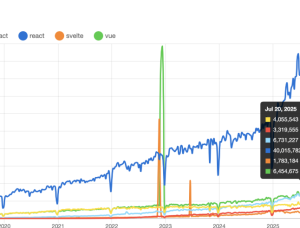
I’ve been asking every year since about, oh, 2019 “when can I stop using React?” yet I find myself still within its throes 6 years later, feeling like not much has changed. The most succinct answer I have is: we’re in the stone ages of the internet. We’re banging rocks together trying to make fire, praying Prometheus will be stupid enough to just give it to us instead. I don’t really…

The revamp, which will roll out in the US in the coming weeks, will let you ask finance-related questions of the web app’s built-in chatbot, which will serve up an AI-generated answer alongside relevant links. There are also new charting tools that Google says go beyond helping you visualize “simple asset performance” with options to view technical indicators or display candlestick charts.

OpenAI has launched GPT-5, a new flagship AI model that will power the company’s next generation of ChatGPT.
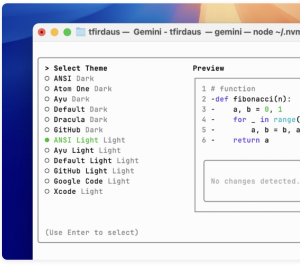
If you’re a developer, it can help you work faster as it allows you to talk to your system and code in plain English. Aside of dealing with code, you can use it for, writing, research, and more. It’s lightweight, supports long prompts, works with tools like VS Code, and is easy to customize.
Master SVG accessibility: Learn techniques for ARIA roles, testing, and creating inclusive graphics that work for everyone.
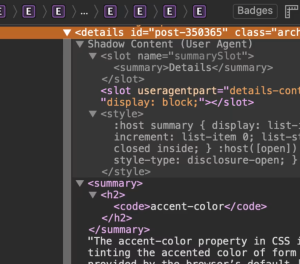
Web Components are more than just Custom Elements. Shadow DOM, HTML Templates, and Custom Elements each play a role. In this article, Russell Beswick demonstrates how Shadow DOM fits into the broader picture, explaining why it matters, when to use it, and how to apply it effectively.

CSS has “logical properties” which have the unique ability to follow the flow of language. You might be working on an website in English, which is left-to-right and top-to-bottom, but other languages might flip either or both of those. In English, we know what margin-right does, but can quickly become the wrong choice if the direction of a web page is flipped, perhaps during translation.