
How to Make Social Media Graphics Work Smarter
Social media platforms are constantly tweaking their algorithms, making it challenging for brands and creators to maintain visibility.

Social media platforms are constantly tweaking their algorithms, making it challenging for brands and creators to maintain visibility.

Today, we’re announcing new features in Figma Slides that unlock high-fidelity design and cross-functional collaboration.

Flat design is becoming a thing of the past, giving way to a new era dubbed ‘Skeuomorphism 2.0’. This emerging trend embraces more intricate aesthetics like gradients, shadows, and blurs. New tools and standards, such as RVE for animations, are making it easier to integrate these elements into creative projects and landing pages, offering designers more freedom and variety. Despite this shift, mastery of these complex design elements is crucial…

What are the rules of shot composition? Join Tom and Hayden as they explore 5 key rules and show how you can use composition to tell your story by creating intrigue, drama, and visual interest.

When eBay set out to document their design system, they didn’t just want a reference guide—they wanted to create an experience where teams could find inspiration and excitement in their work.
Welcome to the Design Systems Report (formerly known as How We Document), our annual report that dives into the state of design systems. We’re into the fourth year of our report, and once again we’ve gathered the data on your teams, how you structure your design systems, the challenges you face and what makes a well adopted, highly trusted design system. Just under 300 of you participated in the survey,…

Designers, let’s talk about an uncomfortable truth. For many of us, the joy of our craft lies in creating work that is not just functional but exceptional. We love unearthing hidden user insights through research, challenging assumptions, and asking the kinds of questions that lead to elegant, transformative solutions. To us, this feels like the very essence of design: solving the problem in the best way possible. But here’s the…

Yes, Photoshop lost. Maybe you’re new around here, but Photoshop was THE design tool everyone used to design websites and apps. Everyone. But it lost out to Sketch and Figma and now hardly anyone designs these things in Photoshop. Of course some still do but most don’t. I still use Photoshop for certain things but never web design or apps. It’s dead to me there.

We’re giving every UI element a complete refresh, focused on better aesthetics, improved usability, and a more polished design system.
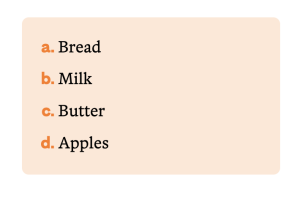
Yes, you are reading that correctly: This is indeed a guide to styling counters with CSS. Some of you are cheering, “Finally!”, but I understand that the vast majority of you are thinking, “Um, it’s just styling lists.” If you are part of the second group, I get it. Before learning and writing more and more about counters, I thought the same thing. Now I am part of the first…


